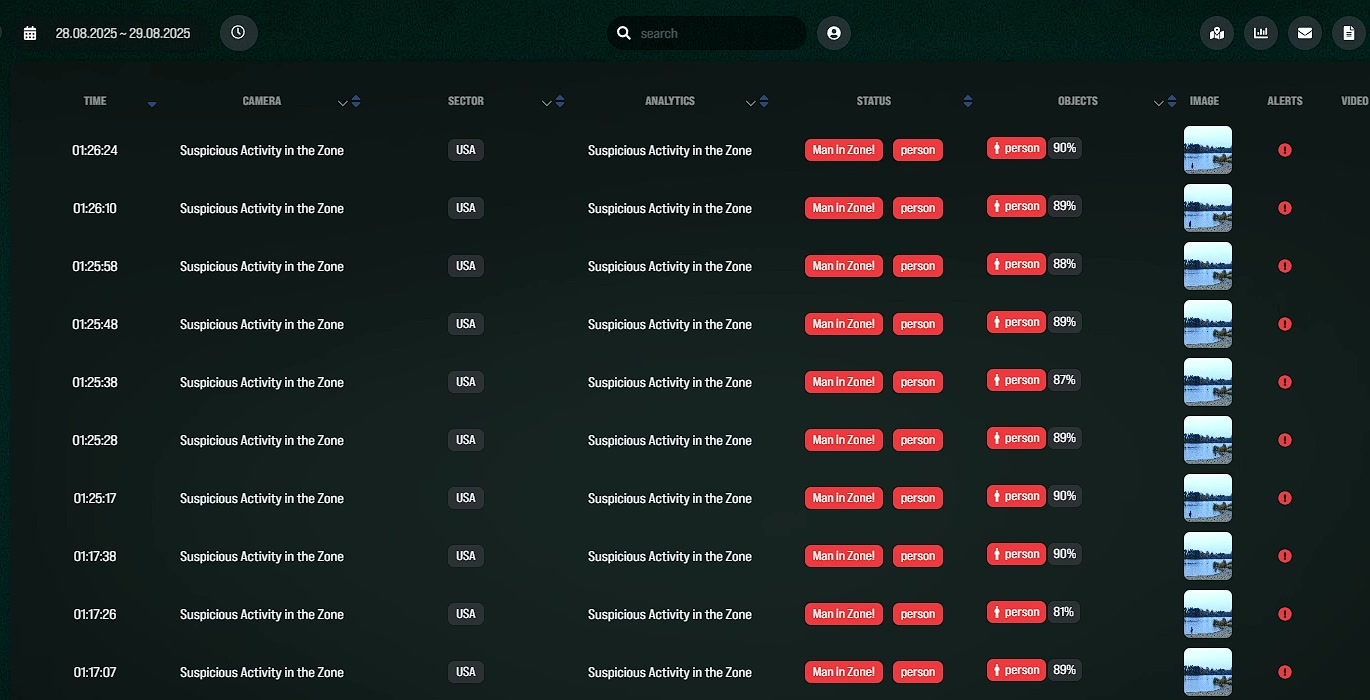
The "Events Archive" section contains the events saved in the database. Events are saved according to the configured analytics connected to the camera.
Using the two buttons in the upper left corner of the main field, you can select the date and time range for displaying events. You can also use the Search button at the top of the field to search for an event by the event status text.
Events Archive with filters and example records.
In the upper right corner of the main field there is a button for displaying charts for selected events, a button for exporting information about events (.csv or .xlsx formats) and a button for setting the display of output data.
The following information is available for each event in the archive:
Date and time of the event
The name of the camera on which the event occurred
The name of the analytics that was used when saving the event
Text description of the event
The name of the object with which the event occurred
Image preview with event
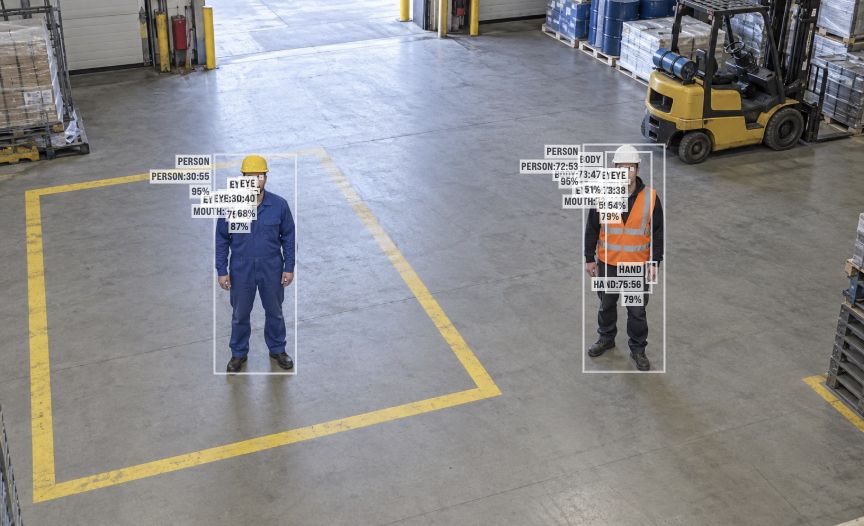
Clicking on the preview image will open a separate window with a full frame of the event, which will reflect the result of the analytics.
Demonstration event image with object overlays.
In the upper right corner of the window that opens, there is an icon with three dots, by clicking on which you can download either the frame itself or the frame with the result of the analytics work.