The "Profiles" section contains profiles of people and cars with the information necessary for their recognition. There are three subsections in total: people, cars and groups.
¶ People
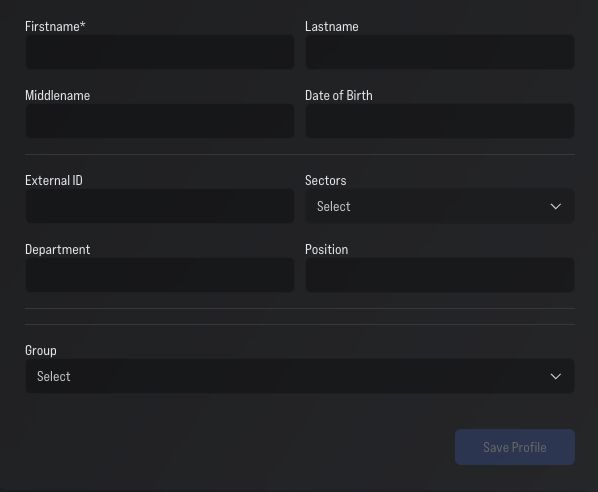
This subsection contains the saved profiles of people. When you add or change a profile, you switch to the profile editing mode with the ability to enter information about a person, including first name, last name, patronymic, date of birth, etc.
On the right side of the screen, you can click on the button to save a photo from the webcam, upload a photo, or select a photo option (nodetect or get_quality). If you select the "nodetect" option, the system will not check the quality of the photo, so it requires the user to fulfill the requirements specified on the screen before uploading the photo. If you select the "get_quality" option, the system will try to determine the quality of the provided photo and will issue an error if the quality of the photo is low.
¶ Cars
The "Cars" subsection contains a list of saved car profiles with the car number and name. In the upper right part there are buttons for exporting, importing and deleting information about cars.
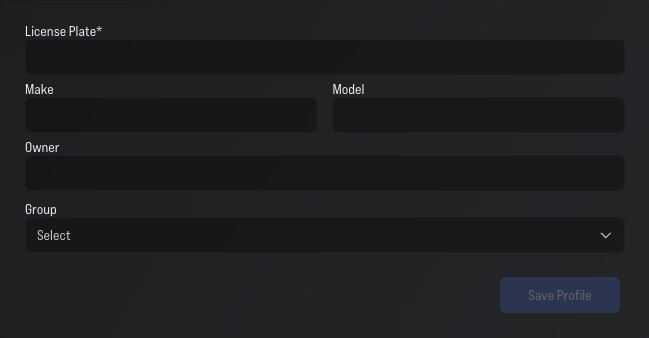
When you click on the "Create profile" or "Edit" button, the car profile editing mode opens, where you can fill in information about the car number, manufacturer and model, owner's name, and select the car group to which it belongs.
¶ Groups
This subsection contains a list of people groups.

A person's profile after creation can be linked to a group. In this case, it becomes possible to filter by a group of people in the analytics.