¶ Check resource indicators
The expanded sidebar shows resource information reported by the platform. Use it to investigate load or storage pressure; a resource reading is not a capacity guarantee.
¶ Open a component status view
Where available, use the status link in Cameras, Analytics, Neuroservices, Devices or Notifications. Access requires the corresponding role permissions, including journal access for the status view.
- Search by component name or description.
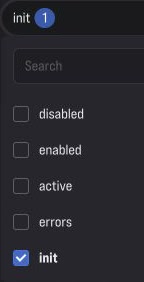
- Filter the displayed states, such as enabled, active, disabled, initialization or errors.
- Open the component to inspect its settings and a redacted error.
- Verify the actual workflow separately: recent frame → model result → saved event → intended delivery or device action.
Enabled does not by itself mean that useful frames are being processed. See Action journal, Metrics and Workflow diagnostics.
© NeiroView Inc. · Documentation guide